See your Shopfloor in real-time: Live job tracking that cuts through the chaos
Shridhar Khandekar
Table of Contents
Even a world‑class ERP only shows the plan—it can’t tell you what’s happening right now on the machines. Most manufacturers still lean on end‑of‑shift paperwork, late labour tickets, or hallway conversations to understand today’s production.
The cost? Decisions are made on yesterday’s data, operators run blind, and problems stay hidden until they become fire drills.
Live job tracking fixes this by connecting jobs, machines, and people in a single, always‑on view. With instant context—what part or batch is running, how many are complete, and who is on the job—you can keep production on schedule and customers happy.
The Visibility Gap
Picture this: a supervisor needs to know if a rush order will finish before the shift ends. The ERP says the job is “in progress,” but that could mean 5 % done or 95 % done.
The only way to find out is to walk the floor and ask the operator, who may not have the full picture either. Multiply that uncertainty across dozens of jobs (or multiple process vessels) and it’s easy to see why on‑time delivery turns into a guessing game.
Manual tracking creates blind spots:
Operators aren’t sure what to run next or how they’re pacing against target.
Supervisors can’t quickly spot which jobs are slipping.
Part counts, batch yields, and labour data arrive late or riddled with errors, making it tough to balance capacity.
InspireXT’s Connected ShopfloorXT : Real Time System for Discrete & Process Manufacturing
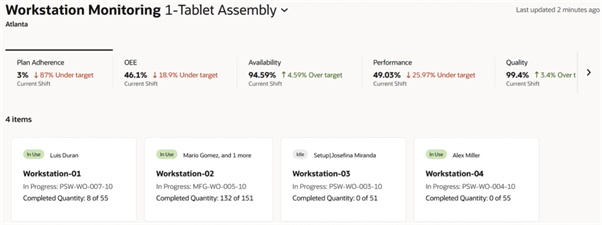
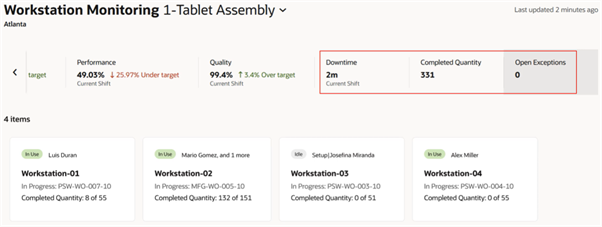
Connected ShopfloorXT closes that visibility gap. Built to handle the complexity of both discrete assemblies and process‑based runs, it streams data straight from machines and cells—pairing it with work‑order details, labour, and quality information—so everyone, from operators to executives, shares a single source of truth.
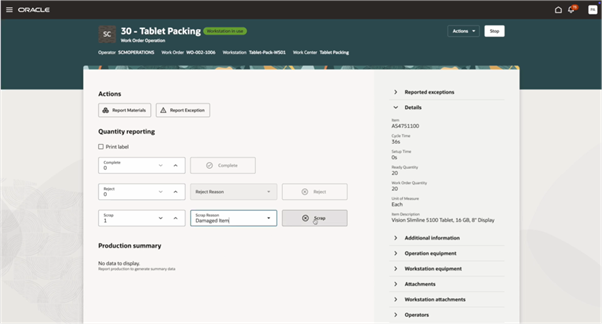
What they see: Scrap or deviation codes tied to job, batch, and operation.
Why it matters: Built‑in traceability and faster root‑cause analysis.
Source: Oracle
Source: Oracle
Source: Oracle
More than Machine Monitoring
Traditional monitoring tools tell you when a spindle is turning or a mixer is running, but not what it’s making or how far it has to go. Connected ShopfloorXT adds the missing context:
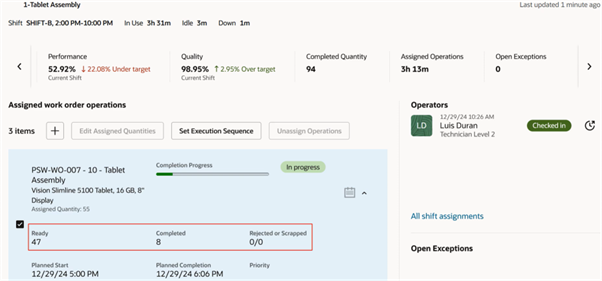
Actual part counts and batch yields stream as they happen—no more “best‑guess” completions.
Setup, changeover, and clean‑in‑place (CIP) times are captured automatically, exposing hidden bottlenecks.
Digital job travellers replace paper packets, saving operator time and improving accuracy.
Guided workflows keep operators aligned with today’s targets and upcoming jobs.
Designed for the Front Line
Adoption stalls when systems are clunky. That’s why we built the operator interface first: clean, touch‑friendly, and familiar in minutes—not days. Deployed on tablets or existing PCs, it slips into current routines with zero hardware headaches.
How it works - Shift to Shift
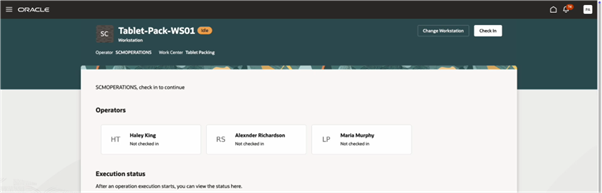
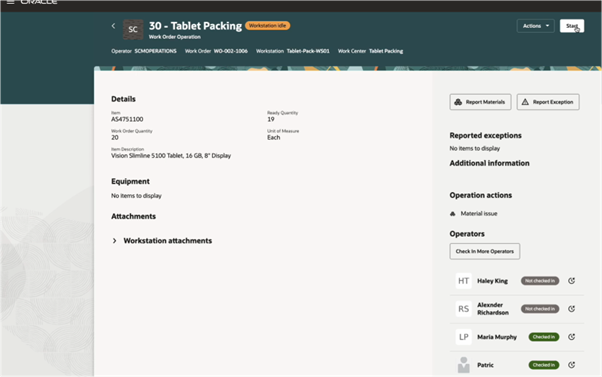
Clock In – Operators sign in and see the day’s queue for their machine or line. Simultaneous Operator Check-Ins support at a Workstation
Source:Oracle
Source: Oracle
2. Select Job or Batch – One tap loads every detail: part number, recipe, quantity, print, and priority.
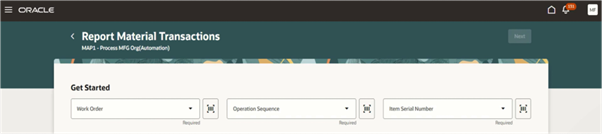
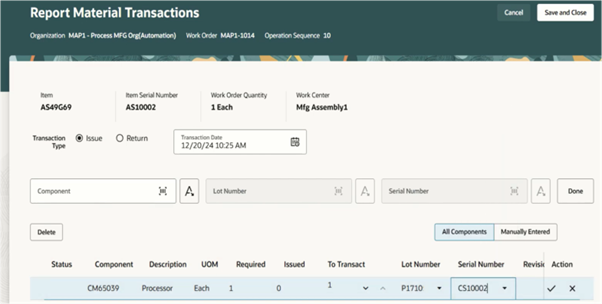
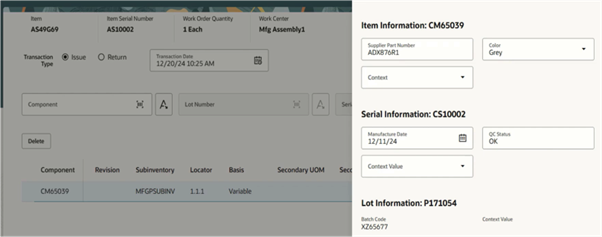
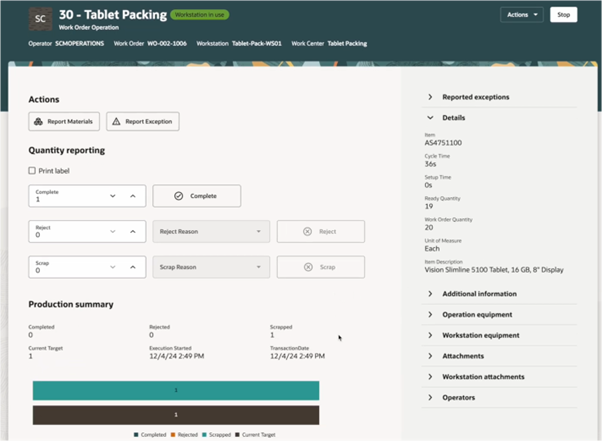
3. Run & Record – The platform logs cycles, yields, scrap, and labour automatically. Report Material –
Source: Oracle
Source: Oracle
Source: Oracle
Report Scrap:
Source: Oracle
Source: Oracle
4. Live Dashboards – Supervisors watch progress bars fill in real time, with ETAs to completion.
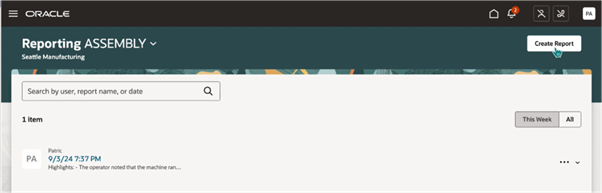
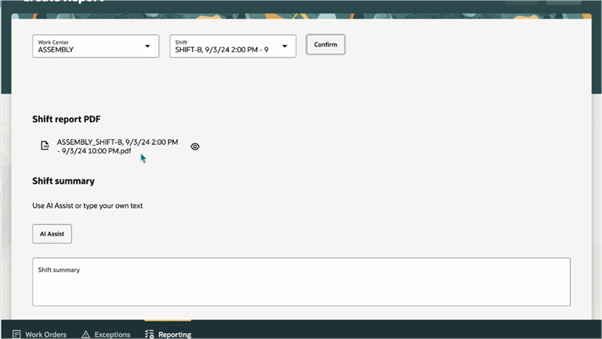
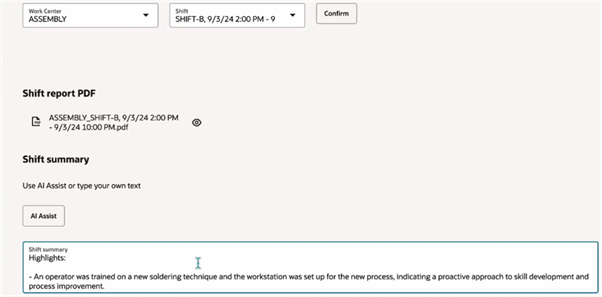
5. Shift Close – Operators clock out; all data is already synced to the ERP—no extra forms. Generate Shift Summary or Using in-built Artificial Intelligence (AI).
Source: Oracle
Source: Oracle
Source: Oracle
From first part to last pallet, every stakeholder sees exactly where production stands, so you can move from reactive firefighting to proactive improvement.
Ready to bring order to the Shopfloor?
Say goodbye to clipboards, spreadsheets, and surprise delays. Connected ShopfloorXT gives you instant, reliable insight so you can deliver on time, every time—and spend your energy on continuous improvement instead of constant catch‑up.